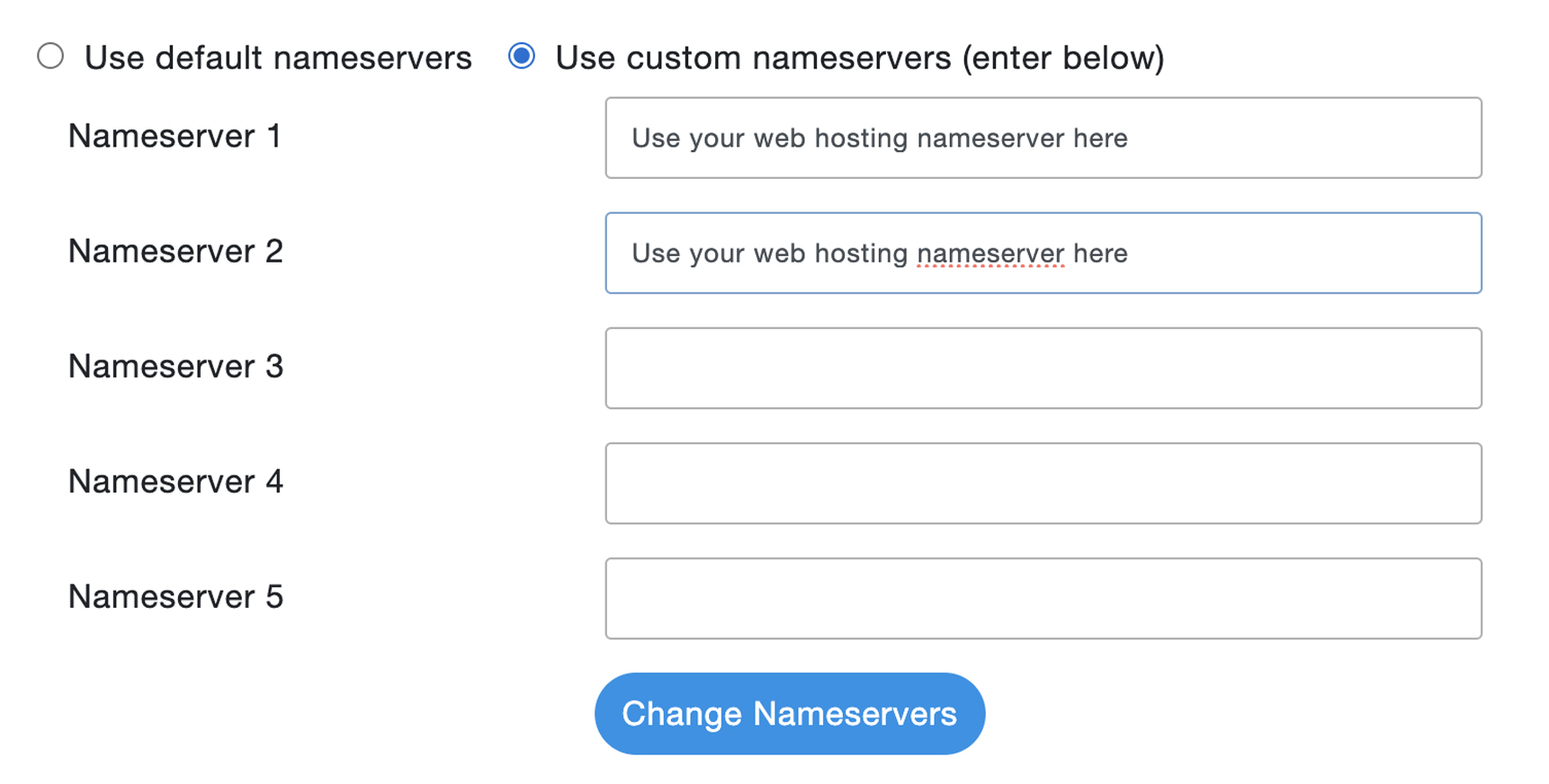


*Please note that when you use your web hosting nameserver, they will manage DNS management.
Your domain is registered with us, but your web hosting is with another provider. This procedure will guide you in updating the nameservers.
- Log in to https://umcchurches.org/clientarea.php
- Once logged in, click Domains.
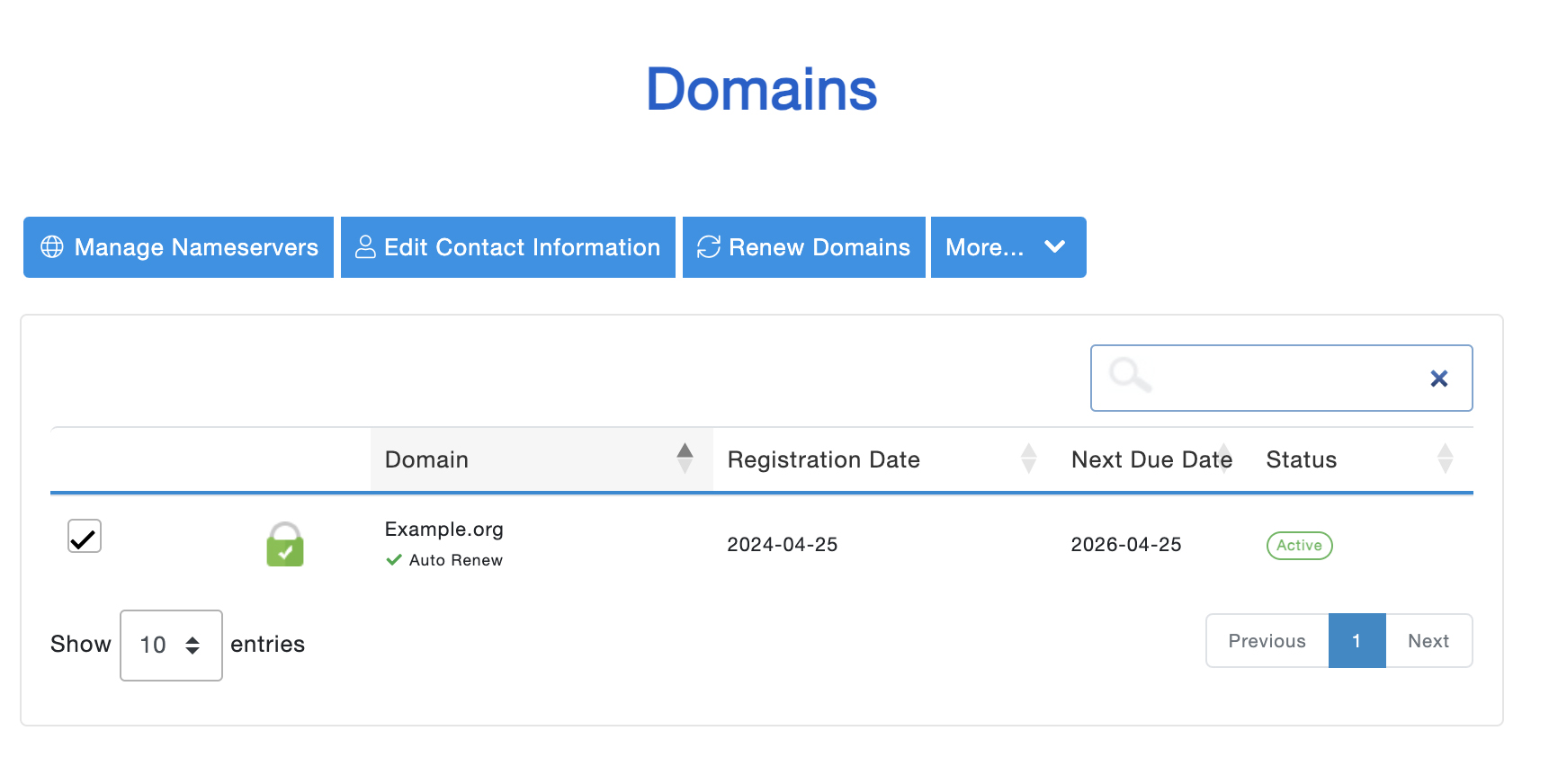
- Tick the check box for your domain name, then click Manage Nameserver.
- Add the nameserver of your new web hosting provider, then click Change Nameservers.